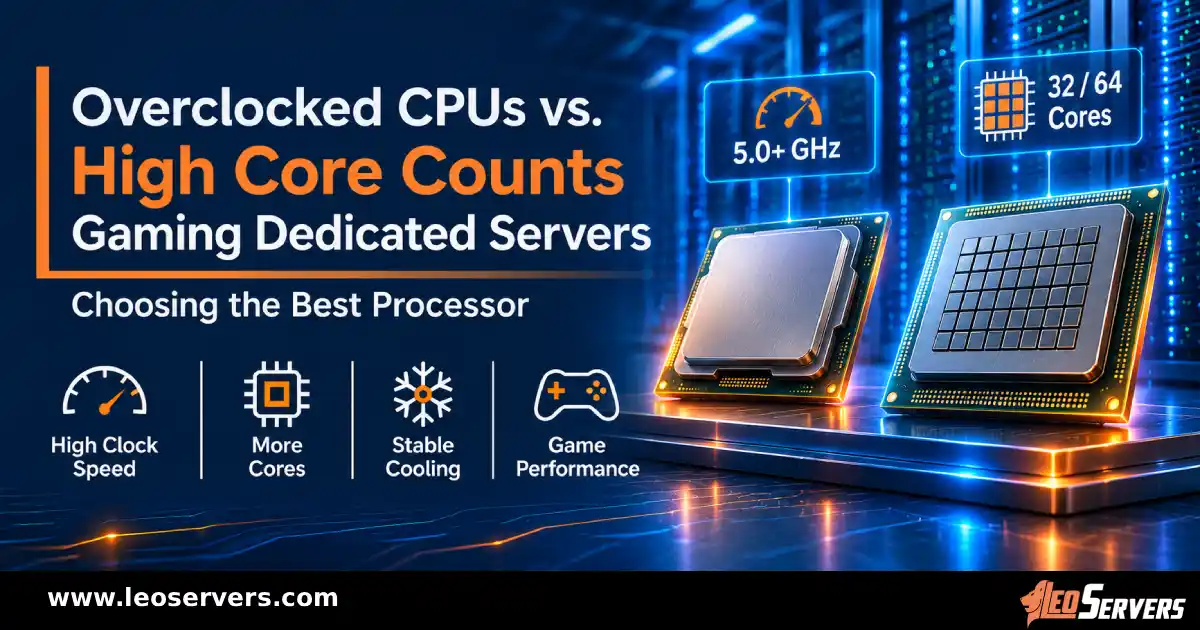
Overclocked CPUs vs. High Core Counts: Choosing the Best Processor for Gaming Dedicated Servers
Game servers live and die by tick rate. See when a 5.8 GHz overclocked CPU beats a 64 core EPYC, and which one fits your community.
Tick rates explained, from 20 TPS to 128 ticks
Where high clock speeds win
Where high core counts win
A four question guide to pick your CPU
Time your CPU gets per tick
Every calculation for a tick must finish inside this window.
Minecraft at 20 TPS50 ms
Counter Strike 2 at 64 tick15.6 ms
Valorant at 128 tickUnder 8 ms
Miss the deadline and players feel it as lag, delayed movement, or shots that should have landed.
Shopping for a gaming dedicated server usually brings you to the same crossroads. In one corner, you have a high frequency, overclocked processor, typically a desktop class chip pushed past 5.0 GHz with 8 to 16 cores. In the other, an enterprise workhorse packing 32 or 64 cores at a steadier 2.5 to 3.5 GHz.
It’s easy to assume the 64 core machine wins by default. More cores should mean more power, bigger player caps, and smoother gameplay. In reality, picking the wrong architecture is the fastest way to end up with rubber banding, tanking tick rates, and players quietly abandoning your community.
Game servers simply don't behave like web servers, video encoders, or enterprise databases. Knowing how your game engine actually processes player data is what separates a rock solid server from an expensive bottleneck.
Why Game Servers Are Different: The Tick Rate Bottleneck
Every multiplayer server runs on a continuous cycle called the main game loop. During each cycle, known as a tick, the server calculates player positions, hit registration, physics, AI pathfinding, and world updates, then sends that fresh state back to every connected client.
A Minecraft server targets 20 ticks per second (TPS), giving the CPU exactly 50 milliseconds to finish every calculation for that cycle. Competitive shooters tighten that window drastically. Counter Strike 2 runs on a 64 tick subtick architecture (roughly 15.6 milliseconds per tick), while titles like Valorant push to 128 ticks per second (under 8 milliseconds). If the CPU misses that deadline, the server falls behind. Players feel it immediately as lag, delayed movement, or shots that should have landed.
🧵
The problem is that most core game loops are still heavily single threaded.
Splitting interdependent physics and world state math across dozens of cores is notoriously hard. If Player A blows up a wall at the exact millisecond Player B runs behind it, those events have to be resolved in strict order. Because of that, one or two primary threads end up doing the heavy lifting while extra cores sit mostly idle.
That’s why two specs often matter more than raw core count:
Clock Speed (GHz)
How many instruction cycles a single core can complete per second.
IPC and Cache
IPC (Instructions Per Clock) is how much work a core gets done per cycle. Cache decides how much active data it can keep in L3 without waiting on system RAM.
A modern chip with high IPC and fast clocks will chew through a main game loop far quicker than an older, slower clocked processor with four times the cores.
The Case for Overclocked and High Frequency CPUs
If you’re trying to get maximum performance out of a single high population world or a small handful of demanding servers, high frequency and overclocked processors are hard to beat.
In dedicated hosting, this usually means desktop grade silicon adapted for data centers, like the AMD Ryzen 9 series (7950X or 9950X) and Intel Core i9 processors, along with select high frequency Xeon E series chips.
Where High Clock Speeds Win
Heavily Modded Survival and Sandbox Games: Minecraft, Valheim, Factorio, and Terraria live and die by single thread speed. When 100 players generate new chunks at once or fire up massive automation builds, raw per core speed is what keeps your TPS locked at 20.
High Tick Competitive Shooters: Games like Counter Strike 2 and Team Fortress 2 need ultra low server frame times to keep hit registration crisp. Higher frequencies directly cut down processing latency.
Large Single Instance Player Caps: In games like Rust, networking and background tasks can spill onto secondary threads, but the main simulation thread still decides how many players and entities your map can survive on wipe day.
What Overclocking Actually Adds
Modern CPUs already boost aggressively out of the box, pushing one or two cores past 5.5 GHz under light loads. Once a game server sustains heavy activity across multiple threads, though, stock chips often throttle down to lower all core speeds to stay within thermal and power limits.
⚡
Data center overclocking, backed by custom liquid cooling or high airflow chassis, locks in higher sustained all core frequencies. Instead of bouncing between 4.2 GHz and 5.5 GHz, the chip holds a steady, predictable clock speed right through peak player surges.
The Hidden Trade Offs
Overclocked hardware isn't a silver bullet. Before renting one, keep three practical limits in mind:
Thermal and Stability Risks
Pushing silicon past factory specs generates more heat and draws more power. In a poorly cooled rack, an aggressive overclock leads to thermal throttling or worse, spontaneous crashes. Always make sure your host uses enterprise grade cooling and stress tests its nodes.
Memory Capacity and ECC Support
Enterprise platforms support massive pools of Error Correcting Code (ECC) RAM across 8 or 12 memory channels. Consumer derived overclocked platforms usually top out at 128 GB to 192 GB of dual channel memory. Modern Ryzen chips do support unbuffered ECC RAM on the right motherboards, but they still can't match the memory bandwidth of an EPYC or Xeon Scalable rig.
Limited Room for Heavy Virtualization
An 8 core or 16 core overclocked chip is a sprinter, not a freight train. Once those cores are full of active game instances, oversubscribing the CPU will tank performance fast.
The Case for High Core Count CPUs
Enterprise processors like AMD EPYC and Intel Xeon Scalable are built for a different job: massive parallelism, 24/7 uptime, and dense multi tenancy. Instead of pushing 8 cores to 5.7 GHz, they pack 32, 64, or 96+ cores running at cooler, power efficient frequencies.
Where High Core Counts Win
Multi Server Networks and Hosting Resellers
Running a Minecraft network with 15 separate game modes (Skyblock, Factions, Bedwars, Lobby) behind a proxy like Velocity or BungeeCord? Each instance runs its own main thread. A 64 core EPYC lets you pin every server to dedicated physical cores so they never fight for resources.
Clustered Survival Games
ARK: Survival Evolved and ARK: Survival Ascended require multiple interconnected maps running at the same time, each eating substantial CPU and RAM. A high core machine with 256 GB+ of RAM can host a full 10 map cluster on one box.
Heavy Background Infrastructure
Big communities rarely run just a game server. They run MySQL or PostgreSQL databases, Discord bots, web stores, automated offsite backups, and analytics. Extra cores keep a heavy database query or backup compression job from stealing cycles from live players.
Containerized Deployments
If you manage servers with Pterodactyl Panel, Docker, or Proxmox, high core counts make clean CPU pinning easy, giving every container guaranteed compute with zero noisy neighbor lag.
Overclocked vs. High Core Count at a Glance
Feature
Overclocked / High Frequency CPUs
High Core Count Enterprise CPUs
Typical Hardware
AMD Ryzen 9 (7950X/9950X), Intel Core i9
AMD EPYC, Intel Xeon Scalable
Core Count Range
8 to 16 Cores
24 to 96+ Cores
Clock Speed
5.0 GHz to 5.8+ GHz
2.5 GHz to 4.0 GHz
Single Thread Speed
Exceptional (best for tick stability)
Moderate to Good
Multi Instance Density
Low to Moderate
Very High
RAM Capacity
Up to 128 GB to 192 GB
256 GB to 2 TB+
Best Fit Workloads
Single high population Minecraft, Rust, Valheim, CS2
Multi server networks, ARK clusters, GSP resellers
Cooling and Power Profile
High heat density, needs specialized cooling
High efficiency per core under sustained load
The Middle Ground: Closing the Performance Gap
Not long ago, buyers were stuck with an ugly trade off: accept sluggish clock speeds for enterprise stability, or accept consumer hardware limits for fast single thread performance. That gap has shrunk considerably.
Modern 16 core high frequency chips like the AMD Ryzen 9 7950X3D and Ryzen 9 9950X have enough cores to comfortably run 6 to 10 medium sized game servers at once without giving up top tier single thread speed. On the enterprise side, AMD EPYC "F" series processors trim down maximum core counts in exchange for higher boost clocks and massive L3 cache, giving larger communities full ECC memory and PCIe lanes without sacrificing tick rates.
💡
If your community has outgrown a single server but isn't ready for a 64 core virtualization cluster, this middle tier usually gives you the best bang for your buck.
How to Choose the Right Processor for Your Server
Before signing a monthly lease on a dedicated box, run your setup through four quick questions:
How many individual game instances will run on this box?
If you’re hosting one to four heavy instances, prioritize the highest single thread clock speed and newest CPU architecture you can afford. If you plan to run 10 or more concurrent servers, lean toward core count and memory channels.
How heavily modded is your game?
Vanilla servers are predictable. Modded servers aren't. Heavy plugin ecosystems like Spigot/Paper plugins, Oxide/uMod for Rust, or large Forge modpacks almost always pile extra work onto the main thread. Overclocked, high IPC chips give you the headroom to absorb poorly optimized mods without tanking performance.
What does your growth look like over the next six months?
Migrating a live community to a new machine is a headache. If you run one Rust server today but plan to spin up three more wipes and a staging server next quarter, a 16 core high frequency chip will scale much better than an 8 core overclocked one.
Are you neglecting the rest of the hardware stack?
A 5.8 GHz processor won't save a server choked by slow storage or shaky networking. Pair your CPU with enterprise NVMe SSDs (essential for fast chunk loading and world saves) and low latency, DDoS protected bandwidth.
Final Verdict
The best processor for a gaming dedicated server comes down entirely to your workload.
Go with an overclocked, high frequency CPU
When raw per core speed is everything: high population survival worlds, heavily modded sandboxes, and competitive shooters where every millisecond counts.
Go with a high core count enterprise CPU
When scale, density, and multitasking matter most: multi server networks, clustered maps, and hosting resellers running dozens of isolated instances.
Still on the fence about which setup fits your player count and game engine? Browse our Dedicated Gaming Server Plans to compare high frequency Ryzen and enterprise AMD EPYC nodes side by side, or reach out to our infrastructure team for a free hardware recommendation tailored to your modpack and community size.
Ready to pick the right CPU for your community?
Compare high frequency Ryzen and enterprise EPYC gaming servers at Leo Servers, or ask our infrastructure team for a free hardware recommendation.
Overclocked CPUs vs. High Core Counts for Game Servers
Overclocked CPUs or high core counts? Learn how tick rates, clock speeds, and cores impact gaming dedicated servers to choose the right CPU.
GPU Server Requirements for Open-Weight AI Models
Calculate VRAM, KV cache, and bandwidth requirements to deploy open-weight AI models on dedicated GPU servers.
Qwen vs DeepSeek vs Llama: Hardware Requirements
Compare VRAM, GPU, and bare-metal server requirements for hosting Llama 3, Qwen 3, and DeepSeek V3/R1.
DDoS Protection for Gaming Servers: Layer 7 Security Guide
Learn how to protect dedicated gaming servers from Layer 7 DDoS attacks with network mitigation, rate limiting, firewalls, server hardening, and monitoring.
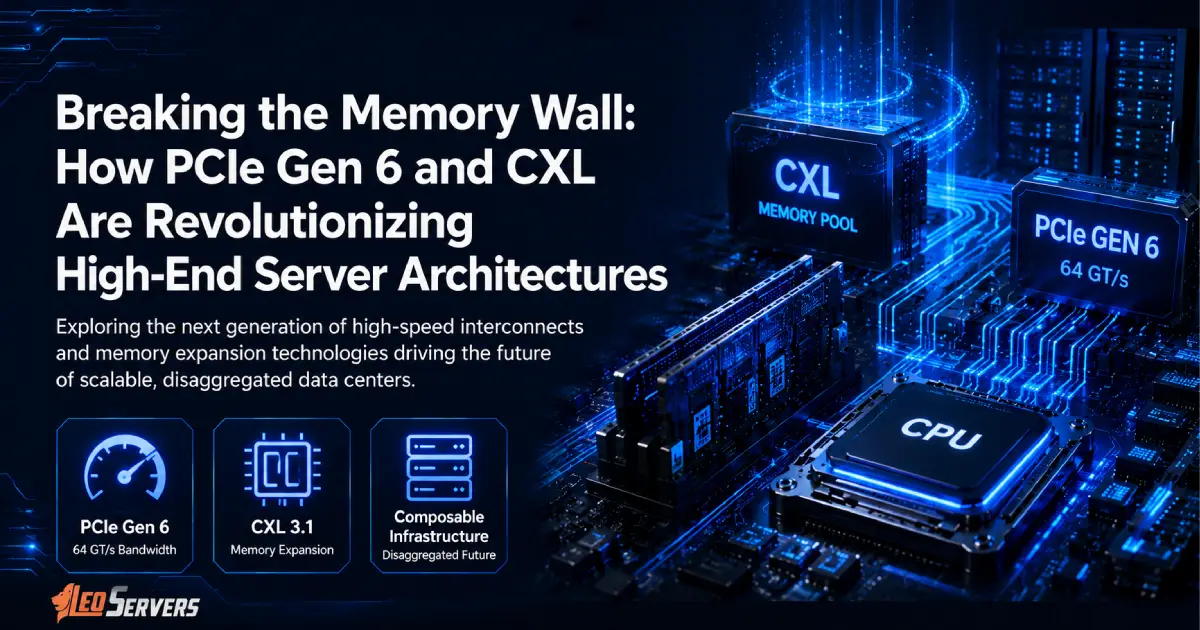
PCIe Gen 6 & CXL 3.1: Revolutionizing Server Architectures
Discover how PCIe Gen 6 and CXL 3.1 are breaking the memory wall. Explore composable infrastructure, tiered memory, and high bandwidth server architectures.
Why Your WooCommerce Store Needs a Dedicated Server
Is slow hosting killing WooCommerce conversions? Discover why a dedicated server offers the speed and uptime your store needs.
Why Liquid Cooling Is Mandatory for High-End Dedicated Server Racks
Discover why air cooling has hit its thermodynamic limit at 41.3 kW and how direct-to-chip liquid cooling and immersion cooling power modern AI data centers.
How to Choose the Right Dedicated Server Configuration
Picking a dedicated server is not a one-size-fits-all decision. Learn exactly which specs to prioritise, from CPU and RAM to bandwidth and location.
Why a USA Dedicated Server Is the Best Choice for Global Businesses
Discover why hosting your infrastructure on a USA dedicated server provides an unmatched competitive advantage, from tier 1 global peering to strategic locations across America.
Why a Dedicated Server in Germany Is Perfect for European Businesses
Discover why hosting your infrastructure on a German dedicated server provides an unmatched competitive advantage, from DE-CIX routing to strict GDPR and BDSG compliance.
Unmetered Bandwidth Dedicated Servers: Why Gamers & Streamers Need Them
Discover why unmetered bandwidth dedicated servers are essential for gaming and live streaming. Learn how bare-metal infrastructure prevents lag, throttling, and data overage fees.
The Ultimate Guide: Why NVIDIA L40S GPU Is the Best GPU for Video Rendering in 2026
Looking for the best GPU for video rendering in 2026? Learn why the NVIDIA L40S dominates 3D animation, VFX, and AI video workflows, and how Leo Servers can power your pipeline.
Best Dedicated Server Locations for Game Hosting in 2026
Discover the best dedicated server locations for game hosting worldwide. Leo Servers breaks down which regions deliver the lowest ping, highest uptime, and the best gaming experience for players across every continent.
Top 10 Open-Source AI Models for Dedicated GPU Servers
Discover the top 10 open-source AI models for 2026 and the dedicated GPU servers required to host them. Reduce API costs and ensure data privacy.
What Is an Unmetered Dedicated Server & Who Should Use One?
Discover what an unmetered dedicated server is, how it works, and whether your business needs one. Leo Servers explains port speeds, bandwidth, and who benefits most.
The Infrastructure Behind AI: Why LLMs Require Bare Metal GPUs
Discover why bare metal GPU servers are critical for running Large Language Models, conquering VRAM constraints, and maximizing inference throughput.
AMD EPYC 9355P: The Powerhouse Dedicated Server You Need
Discover why the AMD EPYC 9355P 'Turin' Zen 5 processor is the ultimate choice for dedicated servers needing 32 cores and massive L3 cache.
Why Singapore Dedicated Servers Are in High Demand in 2026
Explore why Singapore dedicated servers are in high demand in 2026 for gaming and enterprise workloads needing ultra-low APAC latency.
Kubernetes on Dedicated Servers: Container Orchestration for Scalable Apps
Discover why running Kubernetes on dedicated bare metal servers offers the ultimate container orchestration for scalable apps without cloud virtualization overhead.
AIOps: The Future of AI-Powered Server Management
Discover how AIOps is reinventing server management with predictive maintenance, automated optimization, and self-healing infrastructure. Learn more at Leo Servers.
Top 5 Locations For Dedicated Server Hosting in 2026
Choosing the right dedicated server location is critical for speed and compliance. Explore the top 5 global hosting locations for 2026, including the USA, Germany, and Singapore.
5 Top Dedicated GPU Server Providers [2026]
A dedicated GPU server delivers consistent, predictable performance for AI and rendering. We examine leading providers including Leo Servers, OVHcloud, and Hetzner.
Why a Dedicated Server in Mumbai is the Key to High-Performance & Low Latency Hosting
Migrating to a Dedicated Server in Mumbai offers the robust backbone required for modern applications. Discover why local infrastructure is the key to conquering latency.
15 Best Games with Bare Metal Dedicated Servers: The Pro-Gamer’s Choice for 2026
True performance enthusiasts know that Bare Metal Dedicated Servers are the only way to achieve zero-latency. Explore the top 15 titles demanding dedicated hardware in 2026.
Is the GeForce RTX 5090 Good for Gaming? User Reviews 2026
Thinking about upgrading your rig or server infrastructure in 2026? The NVIDIA GeForce RTX 5090 has officially cemented itself as the titan of the Blackwell generation.
5 Best GPU Server Providers for AI Training in 2026
Discover why Russia Dedicated Servers are the low-latency solution for conquering the CIS market.
Why Russia Dedicated Servers Are Your Secret Weapon for CIS & Asian Markets
Discover why Russia Dedicated Servers are the low-latency solution for conquering the CIS market.
Why Your Business Needs a Dedicated Server in Brazil
Localized Hosting for Global Reach: Conquer the Latin American Market
Why France is the Ultimate Destination for Dedicated Servers
Lightning-Fast, Secure, and Scalable Dedicated Servers for Global Business. Key Advantages for Businesses Worldwide.
Why a Japan Dedicated Server is Your Business's Next Strategic Move
Discover the key advantages of a Japan dedicated server. From low-latency access to the entire Asia-Pacific market to high-performance GPU capabilities, see why Japan is the strategic choice for your infrastructure.
Blog Post Title: The APAC Advantage: Why Your Next Australia Dedicated Server Should Be with Leo Servers
Discover the strategic advantages of Australia dedicated servers for APAC markets. Lightning-fast latency, robust security, and enterprise-grade infrastructure with Leo Servers.
Boost Website Speed & Fix Memory Errors: How to Increase PHP Memory Limit in WHM
Fix 'Allowed memory size exhausted' errors and speed up your websites on Leo Servers by increasing the PHP memory limit in WHM. Learn step-by-step with expert tips.