
As artificial intelligence rapidly transitions from API-dependent cloud endpoints to localized, on-premise enterprise deployments, the conversation around Large Language Models (LLMs) has fundamentally shifted. For system administrators, data center architects, and IT directors, the primary question is no longer merely "Which model is the smartest?" but rather "What infrastructure is required to actually host this?" At Leo Servers, our research team is constantly benchmarking bare-metal configurations against the latest AI architectures to help enterprises build optimized, cost-effective infrastructure.
In this comprehensive technical breakdown, we analyze the hardware requirements of the three most dominant open-weight AI model families dominating the landscape today: Meta's Llama, Alibaba's Qwen, and the highly disruptive DeepSeek. We will dissect their memory footprints, compute requirements, node topologies, and the architectural differences such as Dense versus Mixture-of-Experts (MoE) designs that dictate how you should provision your dedicated servers.
In this guide
Quick Reference: LLM Hardware Requirements Comparison
To help you size your deployments at a glance, here is a summary of the baseline VRAM and hardware recommendations for the industry's top models.
| Model | Architecture | Precision | Est. VRAM Needed (w/ KV Cache) | Recommended Leo Servers Hardware |
|---|---|---|---|---|
| Llama 3.1 8B | Dense | 8-bit | 16GB - 24GB | 1x RTX 4090 or RTX 4500 Ada (24GB) |
| Llama 3.3 70B | Dense | 8-bit | 97GB+ | 2x A100 (80GB) or 1x H200 (141GB) |
| Qwen3 8B | Dense | 4-bit | 12GB - 16GB | 1x Entry-Level GPU (16GB) + 32GB RAM |
| Qwen3.8-Max | MoE (2.4T) | FP8 (8-bit) | ~2,500GB+ | 24x H200 Cluster or 16x B300 Node |
| DeepSeek V3/R1 | MoE (671B) | FP8 (8-bit) | ~746GB+ | 8x H200 or B200 Server Node |
| R1-Distill-Llama | Dense (70B) | Optimized | 40GB - 48GB | 1x RTX 6000 Ada (48GB) or 2x RTX 4090 |
The Core Arithmetic of LLM Server Deployment
Before examining individual models, it is critical to establish the baseline physics of LLM hardware provisioning. Self-hosted LLM hardware requirements are dictated by two primary VRAM (Video RAM) consumers: the static model weights and the dynamic KV (Key-Value) cache.
- Model Weights: This footprint is determined by the parameter count multiplied by the precision format. A 16-bit precision (FP16/BF16) model requires roughly 2 bytes per parameter. An 8-bit quantized model requires 1 byte per parameter, and a 4-bit model requires 0.5 bytes. Therefore, a 70-billion parameter model at 8-bit precision requires roughly 70GB to 71GB of VRAM just to sit idle on your GPUs.
- The KV Cache: When the model is actively processing conversations, it must store the context of those interactions in VRAM. The size of this cache scales linearly with the context length (number of tokens), the batch size (concurrent users), the number of layers, and the attention head dimensions.
For a high-throughput enterprise deployment, sizing purely for weights is a fatal error. You must provision sufficient VRAM overhead to handle your expected concurrent user load, otherwise, your dedicated server will suffer from severe Out-of-Memory (OOM) crashes or forced PCIe offloading, which destroys token generation speeds.
Meta Llama (3.1 & 3.3): The Baseline Standard for Dense Scaling
Meta's Llama 3 family specifically the 8B and 70B variants remains the industry baseline for standard dense architectures. Because they are dense models, every single parameter is activated during a forward pass, meaning compute requirements scale linearly with the model size.
Llama 3.1 8B: The Edge and Home Server King
The 8B variant is highly forgiving and democratizes AI hosting. Operating at 16-bit precision, it requires roughly 16GB of VRAM. However, when quantized to 8-bit, the footprint drops to approximately 8GB, and at 4-bit, it can squeeze into a mere 4GB of VRAM.
For server provisioning, a single 24GB GPU such as an NVIDIA RTX 4090 or RTX 4500 Ada provides an exceptional environment. At 8-bit quantization (8GB weights), a 24GB card leaves nearly 16GB of VRAM for the KV cache. Given that a single 8,000-token conversation consumes about 1.05GB of KV cache for the 8B model, a 24GB server can comfortably handle 10 to 12 concurrent enterprise users without bottlenecking.
Llama 3.3 70B: The Enterprise Workhorse
Deploying the 70B variant requires serious dedicated infrastructure. At 8-bit precision, the model weights consume about 71GB of VRAM. Furthermore, because the architecture features 80 layers and 8 KV heads, the KV cache is significantly heavier: a single 8,000-token conversation consumes approximately 2.6GB.
If your goal is to support ten concurrent users with 8,000-token contexts, you need roughly 26GB of KV cache on top of the 71GB base weights, pushing your total VRAM requirement to roughly 97GB.
Leo Servers Recommendation: To deploy Llama 70B at 8-bit, you must move beyond consumer hardware. A single NVIDIA RTX PRO 6000 with 96GB of GDDR7 memory is the absolute minimum boundary for a highly restricted concurrency environment. A more robust, enterprise-grade approach involves utilizing dual 80GB cards (such as NVIDIA A100) utilizing tensor parallelism across the PCIe bus, or stepping up to a server equipped with a single NVIDIA H200 (141GB).
Qwen3 (Alibaba): From Micro-Deployments to Multi-Node Behemoths
Alibaba's Qwen3 architecture presents a fascinating challenge for hardware architects because it spans an incredibly wide spectrum, from ultra-lightweight 7B/8B models up to massive 100B+ models, and eventually scaling to the monstrous Qwen3.8-Max, which utilizes a massive Mixture-of-Experts (MoE) design.
Qwen3 8B and 72B: The Dense Configurations
The Qwen3 8B dense model is an excellent local agent. To run it effectively at Q4 (4-bit) quantization, you need a minimum of 16GB of system RAM and just 8GB of VRAM, making it suitable for entry-level CPU-first servers or single-GPU deployments. For everyday RAG (Retrieval-Augmented Generation) applications utilizing its native 32K context window, 32GB of system RAM and a 12GB to 16GB discrete GPU is highly recommended.
Scaling up to the Qwen3 72B or 100B variants requires standard enterprise GPU clusters. For the 72B model, a server with dual A100 GPUs (80GB each) is practical for small business inference, while training or high-throughput serving requires 4x to 8x H100 (80GB) configurations.
Qwen3.8-Max: The VRAM Leviathan
The true hardware test comes from Qwen3.8-Max. This model boasts a staggering 2.4 trillion total parameters, with approximately 95 billion active parameters per forward pass.
The VRAM math here is punishing. The official FP8 (8-bit) checkpoint for Qwen3.8-Max is 2,496GB. Let that sink in: you need nearly 2.5 Terabytes of Video RAM just to load the model weights, completely ignoring the KV cache.
Hosting this model natively at FP8 immediately rules out standard 8-GPU servers. Even an 8x NVIDIA B300 node (which offers 2,304GB total VRAM) falls short. To deploy Qwen3.8-Max at FP8, data centers must build out a 24x H200 cluster (yielding 3,384GB of VRAM) or stitch together two 8-GPU B300 nodes (yielding 4,608GB).
Furthermore, Qwen3.8-Max has 64 attention heads. In distributed inference frameworks like vLLM, Tensor Parallelism (TP) must cleanly divide the number of attention heads. Therefore, you can only run TP values of 1, 2, 4, 8, 16, 32, or 64. If you use a 24-GPU cluster, you cannot run a flat TP24 layout; it will fail at startup. You must combine parallelism strategies specifically TP8 within the node, mapped with Pipeline Parallelism (PP3) across the network nodes. This necessitates extremely high-bandwidth networking, such as 400Gbps InfiniBand or RDMA-enabled Ethernet.
DeepSeek V3 / R1: The Efficiency Mavericks
DeepSeek has aggressively disrupted the AI hardware landscape by proving that immense capabilities do not inherently require the exact same footprint as traditional massive dense models, provided you master Mixture-of-Experts routing.
DeepSeek V3 and R1 Architecture
The full DeepSeek-V3 / R1 model features 671 billion total parameters, but due to its highly optimized MoE architecture, only about 37 billion to 40 billion parameters are active during any single forward pass. This creates a unique hardware profile: you need a massive amount of VRAM to hold the 671B parameters, but the actual compute (FLOPs) required per token is drastically lower than a dense model of equivalent size.
DeepSeek-V3.1 base weights require roughly 1,318GB of storage. At FP8 precision, deploying the full DeepSeek R1 model requires approximately 746GB of VRAM. If you utilize aggressive 4-bit quantization, that footprint drops to about 411GB.
Leo Servers Recommendation: For a full FP8 DeepSeek deployment, an enterprise needs a robust multi-GPU server. An 8-node configuration of NVIDIA H200 GPUs (141GB each) or NVIDIA B200 GPUs is the standard requirement to comfortably fit the 746GB weight footprint while leaving enough overhead for its massive 128K context KV cache.
The Distilled R1 Advantage
Where DeepSeek truly shines for standard enterprise server buyers is its distilled models. DeepSeek released variants like the R1-Distill-Llama-70B. This model embeds the advanced reasoning capabilities of the full R1 into the dense architecture of Llama 3 70B.
The hardware requirements for R1-Distill-Llama-70B are remarkably accessible. It requires only 40GB to 48GB of VRAM. This means you can achieve state-of-the-art DeepSeek reasoning on a single Leo Servers dedicated server equipped with one NVIDIA RTX 6000 Ada (48GB), or two consumer-grade RTX 3090/4090 (24GB) cards linked together. This represents arguably the highest ROI deployment available in the current AI hosting market.
Designing Your AI Infrastructure at Leo Servers
When choosing a bare-metal dedicated server at Leo Servers to host Llama, Qwen, or DeepSeek, VRAM capacity is merely the starting line. To ensure high utilization and prevent bottlenecks, infrastructure managers must architect the entire system holistically:
- Storage Subsystems (The Loading Bottleneck): Model weights must be loaded from storage into VRAM upon initialization. Qwen3.8-Max is 2.5 Terabytes. Loading 2.5TB from standard SATA SSDs would take hours. High-end AI servers must be equipped with PCIe Gen 4 or Gen 5 NVMe SSDs configured in RAID 0 or RAID 10 arrays.
- System RAM vs. GPU VRAM: A common pitfall is under-provisioning system RAM. The general rule of thumb for AI servers is that your system RAM should be at least 1.5x to 2x the size of your total VRAM to avoid fatal swap file thrashing during process spikes.
- PCIe Lanes and Interconnects: For multi-GPU configurations, PCIe lane allocation is critical. Enterprise motherboards based on AMD EPYC or Intel Xeon scalable processors provide 128+ PCIe lanes, ensuring every GPU operates at full x16 bandwidth. For clusters spanning multiple physical servers, 100Gbps to 400Gbps InfiniBand networking is non-negotiable.
- Power Delivery and Thermal Envelopes: Running continuous LLM inference generates brutal, sustained thermal loads. A server housing quad RTX 6000 Ada GPUs requires heavy redundant power supplies (typically 2000W to 3000W dual configurations) and high-CFM chassis cooling.
The hardware requirements for Meta Llama, Alibaba Qwen, and DeepSeek illustrate three distinct approaches to the future of AI. Llama remains the highly optimized, predictable standard for dense deployments, making it incredibly straightforward to provision for. DeepSeek challenges the hardware limits through its massive 671B MoE architecture, demanding enterprise multi-node clusters for its base model, while simultaneously offering highly accessible distilled variants for single-node servers. Qwen offers the absolute widest spectrum, from 8B models suitable for home lab equipment to the colossal 2.4T Max variant that demands 24-GPU H200 superclusters.
Ready to deploy your local AI?
Ultimately, your infrastructure strategy must align with your concurrency needs and acceptable quantization loss. Whether you need a dual-GPU tower to host a 70B Llama or a multi-node rack to serve DeepSeek MoE, our engineering team is ready to assist you.
Recent Topics for you
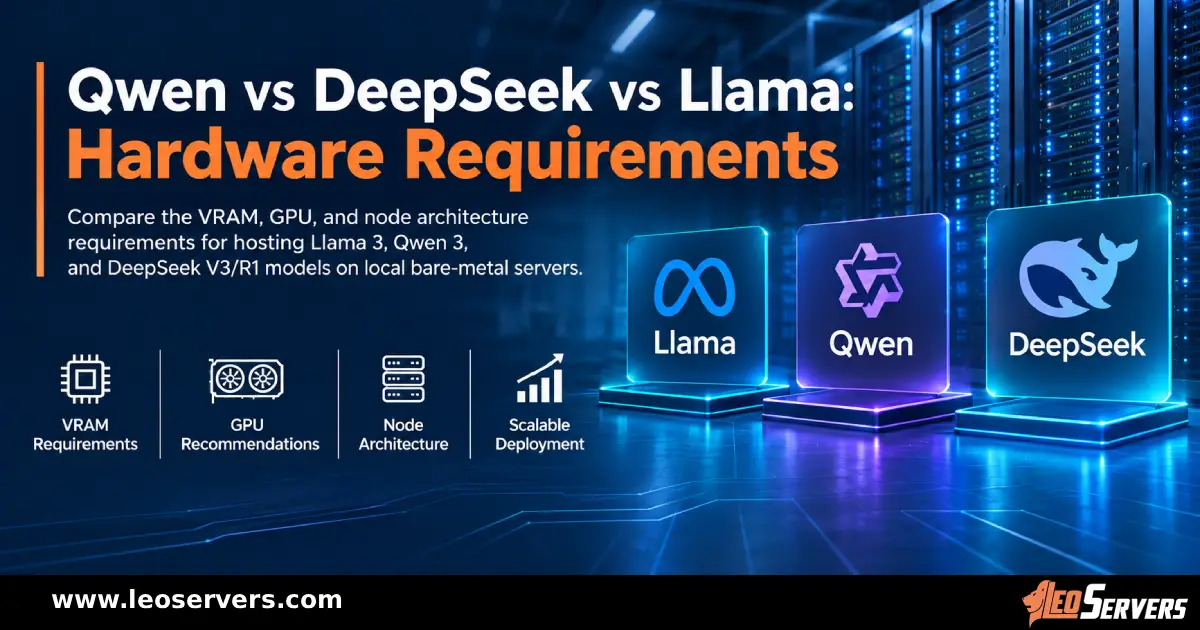
Qwen vs DeepSeek vs Llama: Hardware Requirements
Compare VRAM, GPU, and bare-metal server requirements for hosting Llama 3, Qwen 3, and DeepSeek V3/R1.
DDoS Protection for Gaming Servers: Layer 7 Security Guide
Learn how to protect dedicated gaming servers from Layer 7 DDoS attacks with network mitigation, rate limiting, firewalls, server hardening, and monitoring.

PCIe Gen 6 & CXL 3.1: Revolutionizing Server Architectures
Discover how PCIe Gen 6 and CXL 3.1 are breaking the memory wall. Explore composable infrastructure, tiered memory, and high bandwidth server architectures.

Why Your WooCommerce Store Needs a Dedicated Server
Is slow hosting killing WooCommerce conversions? Discover why a dedicated server offers the speed and uptime your store needs.

Why Liquid Cooling Is Mandatory for High-End Dedicated Server Racks
Discover why air cooling has hit its thermodynamic limit at 41.3 kW and how direct-to-chip liquid cooling and immersion cooling power modern AI data centers.

How to Choose the Right Dedicated Server Configuration
Picking a dedicated server is not a one-size-fits-all decision. Learn exactly which specs to prioritise, from CPU and RAM to bandwidth and location.

Why a USA Dedicated Server Is the Best Choice for Global Businesses
Discover why hosting your infrastructure on a USA dedicated server provides an unmatched competitive advantage, from tier 1 global peering to strategic locations across America.

Why a Dedicated Server in Germany Is Perfect for European Businesses
Discover why hosting your infrastructure on a German dedicated server provides an unmatched competitive advantage, from DE-CIX routing to strict GDPR and BDSG compliance.

Unmetered Bandwidth Dedicated Servers: Why Gamers & Streamers Need Them
Discover why unmetered bandwidth dedicated servers are essential for gaming and live streaming. Learn how bare-metal infrastructure prevents lag, throttling, and data overage fees.
The Ultimate Guide: Why NVIDIA L40S GPU Is the Best GPU for Video Rendering in 2026
Looking for the best GPU for video rendering in 2026? Learn why the NVIDIA L40S dominates 3D animation, VFX, and AI video workflows, and how Leo Servers can power your pipeline.

Best Dedicated Server Locations for Game Hosting in 2026
Discover the best dedicated server locations for game hosting worldwide. Leo Servers breaks down which regions deliver the lowest ping, highest uptime, and the best gaming experience for players across every continent.

Top 10 Open-Source AI Models for Dedicated GPU Servers
Discover the top 10 open-source AI models for 2026 and the dedicated GPU servers required to host them. Reduce API costs and ensure data privacy.

What Is an Unmetered Dedicated Server & Who Should Use One?
Discover what an unmetered dedicated server is, how it works, and whether your business needs one. Leo Servers explains port speeds, bandwidth, and who benefits most.

The Infrastructure Behind AI: Why LLMs Require Bare Metal GPUs
Discover why bare metal GPU servers are critical for running Large Language Models, conquering VRAM constraints, and maximizing inference throughput.
AMD EPYC 9355P: The Powerhouse Dedicated Server You Need
Discover why the AMD EPYC 9355P 'Turin' Zen 5 processor is the ultimate choice for dedicated servers needing 32 cores and massive L3 cache.

Why Singapore Dedicated Servers Are in High Demand in 2026
Explore why Singapore dedicated servers are in high demand in 2026 for gaming and enterprise workloads needing ultra-low APAC latency.
Kubernetes on Dedicated Servers: Container Orchestration for Scalable Apps
Discover why running Kubernetes on dedicated bare metal servers offers the ultimate container orchestration for scalable apps without cloud virtualization overhead.

AIOps: The Future of AI-Powered Server Management
Discover how AIOps is reinventing server management with predictive maintenance, automated optimization, and self-healing infrastructure. Learn more at Leo Servers.

Top 5 Locations For Dedicated Server Hosting in 2026
Choosing the right dedicated server location is critical for speed and compliance. Explore the top 5 global hosting locations for 2026, including the USA, Germany, and Singapore.
5 Top Dedicated GPU Server Providers [2026]
A dedicated GPU server delivers consistent, predictable performance for AI and rendering. We examine leading providers including Leo Servers, OVHcloud, and Hetzner.
Why a Dedicated Server in Mumbai is the Key to High-Performance & Low Latency Hosting
Migrating to a Dedicated Server in Mumbai offers the robust backbone required for modern applications. Discover why local infrastructure is the key to conquering latency.

15 Best Games with Bare Metal Dedicated Servers: The Pro-Gamer’s Choice for 2026
True performance enthusiasts know that Bare Metal Dedicated Servers are the only way to achieve zero-latency. Explore the top 15 titles demanding dedicated hardware in 2026.
Is the GeForce RTX 5090 Good for Gaming? User Reviews 2026
Thinking about upgrading your rig or server infrastructure in 2026? The NVIDIA GeForce RTX 5090 has officially cemented itself as the titan of the Blackwell generation.

5 Best GPU Server Providers for AI Training in 2026
Discover why Russia Dedicated Servers are the low-latency solution for conquering the CIS market.

Why Russia Dedicated Servers Are Your Secret Weapon for CIS & Asian Markets
Discover why Russia Dedicated Servers are the low-latency solution for conquering the CIS market.

Why Your Business Needs a Dedicated Server in Brazil
Localized Hosting for Global Reach: Conquer the Latin American Market

Why France is the Ultimate Destination for Dedicated Servers
Lightning-Fast, Secure, and Scalable Dedicated Servers for Global Business. Key Advantages for Businesses Worldwide.

Why a Japan Dedicated Server is Your Business's Next Strategic Move
Discover the key advantages of a Japan dedicated server. From low-latency access to the entire Asia-Pacific market to high-performance GPU capabilities, see why Japan is the strategic choice for your infrastructure.

Blog Post Title: The APAC Advantage: Why Your Next Australia Dedicated Server Should Be with Leo Servers
Discover the strategic advantages of Australia dedicated servers for APAC markets. Lightning-fast latency, robust security, and enterprise-grade infrastructure with Leo Servers.

Boost Website Speed & Fix Memory Errors: How to Increase PHP Memory Limit in WHM
Fix 'Allowed memory size exhausted' errors and speed up your websites on Leo Servers by increasing the PHP memory limit in WHM. Learn step-by-step with expert tips.
1