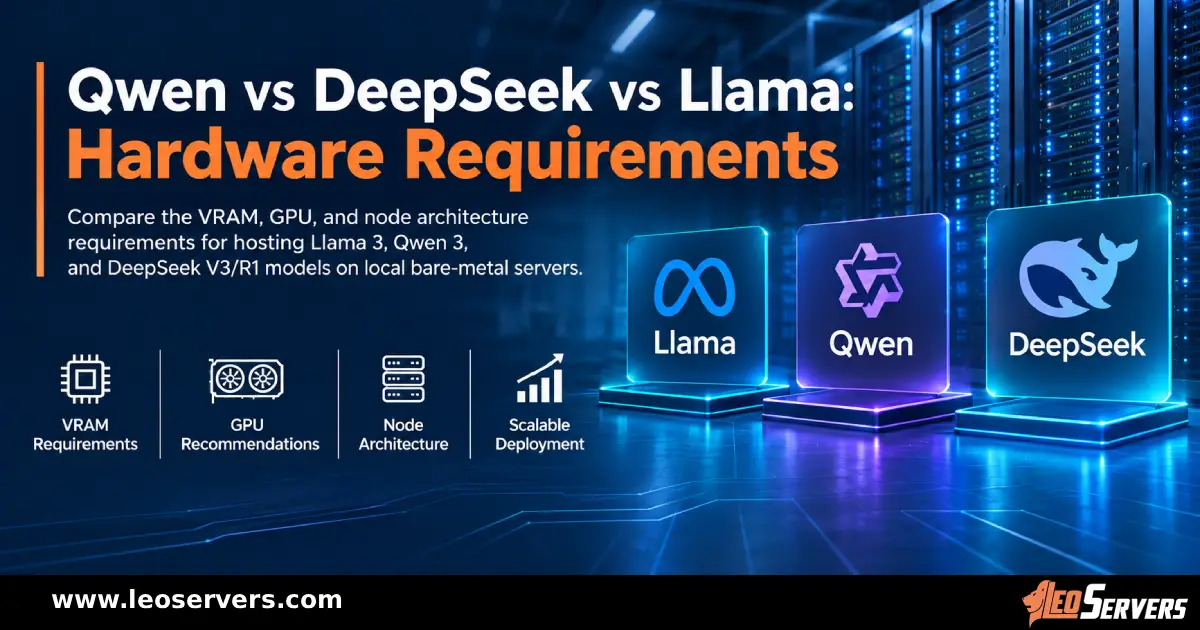
Open-weight models have changed who gets to run serious AI. Llama, Mistral, Qwen, DeepSeek, and OpenAI's gpt-oss family can all be downloaded, inspected, and hosted on infrastructure you control. That freedom raises a practical question within the first week of any project: what hardware does this model actually need?
The answer depends on a few variables you can measure, not on a model's name or parameter count alone. This guide covers those variables, shows how to estimate memory and speed before you rent anything, and explains when a dedicated GPU server is the right home for the workload.
What Open-Weight Means for Your Infrastructure
An open-weight release gives you the trained parameters, usually under a license that sets the terms of commercial use. It is not always open source in the strict sense. Some families use permissive licenses such as Apache 2.0, while others use custom community licenses with conditions. Read the license before you build a product on it.
For hardware planning, the point is simple. The weights are yours to load, so every byte of them must sit somewhere your GPUs can reach quickly. A hosted API hides that cost. Self-hosting puts it in front of you.
Start With Memory: The Weights
GPU memory (VRAM) is the first constraint, because a model that doesn't fit cannot run at a usable speed. The baseline estimate is:
FP16 or BF16 uses 2 bytes per parameter.
FP8 or INT8 uses 1 byte per parameter.
About 0.5 bytes per parameter, plus a small overhead for scaling data.
A 70B model at 16-bit needs about 140 GB for weights alone.
That 140 GB is more than one 80 GB card holds, so you need at least two. At 8-bit, it drops to roughly 70 GB, and at 4-bit to around 35 to 40 GB, which can fit on a single 48 GB card. An 8-billion-parameter model needs about 16 GB at 16-bit and runs comfortably on a 24 GB GPU.
Quantization is the main way to fit larger models on smaller hardware. It costs some accuracy, and the loss varies by model and method. Test it on your own prompts instead of relying on general claims.
The Part People Forget: The KV Cache
Weights are fixed in size. The Key-Value (KV) cache is not. During generation, the model stores attention data for every token of every active conversation, so the cache grows with context length and with the number of simultaneous requests.
Llama 3.1 70B has 80 layers, 8 KV heads, and a head dimension of 128, which works out to about 320 KB per token at 16-bit precision. One 128,000-token conversation therefore needs roughly 40 GB of cache by itself. Ten of them at once would need hundreds of gigabytes.
This is why a model that "fits" on paper can still run out of memory in production. Plan for the context lengths and concurrency you expect, and leave headroom. Grouped-query attention, paged cache management, and quantized caches all reduce the load, but none of them removes it.
💡
Pro tip: To prevent Out of Memory (OOM) crashes in production, always cap user input (max tokens) in your inference engine to enforce strict limits.
Mixture-of-Experts (MoE) Models: Large in Memory, Lighter per Token
Many recent open-weight releases use a mixture-of-experts design, where only some of the parameters activate for each token. Mixtral 8x7B has about 47 billion parameters in total and uses roughly 13 billion per token. DeepSeek-V3 has 671 billion in total with 37 billion active. OpenAI's gpt-oss-120b has about 117 billion in total with around 5 billion active.
The catch is that every expert must stay in memory, because any token can be routed to any of them. MoE lowers compute per token, but it does not shrink the memory footprint. Size your VRAM against total parameters, and expect generation speed closer to that of a much smaller dense model.
Some MoE releases ship in native low-precision formats, which helps. OpenAI states that gpt-oss-120b is designed to run on a single 80 GB GPU and gpt-oss-20b within 16 GB of memory. Always check the model card for the precision a model was released in, since that sets its real size.
Memory Bandwidth Decides Generation Speed
Once the model fits, the next limit is how fast the GPU can read it. Producing each token means streaming the active weights through the processor, so single-stream generation speed is bound by memory bandwidth more than by raw compute.
A dense 70 GB model on a GPU with 3.35 TB/s of bandwidth, such as the NVIDIA H100 SXM, tops out near 48 tokens per second for a single stream before overheads. Real results are lower. Batching many requests spreads each weight read across several users, which is why a server can deliver far more total throughput than any single stream suggests.
This also explains why newer cards matter. The H200 pairs 141 GB of HBM3e with 4.8 TB/s of bandwidth, which helps with both capacity and speed. Cards like the L40S (48 GB GDDR6) and the RTX 4090 (24 GB) trade bandwidth for lower cost, and they are often the right choice for smaller models.
Matching GPUs to Model Sizes
These are starting points, assuming moderate context lengths. Always validate with your own workload.
| Model class |
Suggested GPU setup |
Best suited to |
| Up to ~8B |
One 24 GB GPU at 16-bit, or less memory at 4-bit |
Assistants, classification, internal tools |
| 13B to 34B |
One 48 GB GPU with 8-bit or 4-bit weights |
Mid-size chat and retrieval workloads |
| 70B class |
Two 80 GB GPUs at 16-bit, or one 80 GB GPU at 8-bit with limited context |
High-quality general-purpose inference |
| 100B+ MoE |
gpt-oss-120b on a single 80 GB GPU; larger MoE models need multiple cards |
Reasoning and agent workloads |
| 400B to 700B class |
An eight-GPU node, such as eight 141 GB cards for DeepSeek-V3 |
Frontier-scale self-hosting |
For the largest tier, the math is worth spelling out. At 8-bit, a 671B model needs around 700 GB, which exceeds eight 80 GB cards but fits on eight 141 GB cards.
Multiple GPUs: Interconnects Matter
When a model spans several GPUs, they exchange data at every layer. Tensor parallelism splits each layer across cards and is highly sensitive to link speed. NVLink on the H100 SXM provides up to 900 GB/s per GPU, while a PCIe Gen5 x16 slot offers about 64 GB/s in each direction (128 GB/s bidirectional).
🔗
Rule of thumb: Two cards over PCIe often perform acceptably. For four to eight GPUs working on one model, NVLink-equipped servers are worth the extra cost. Pipeline parallelism tolerates slower links but adds latency.
Fine-Tuning Needs More Than Inference
Full fine-tuning with the Adam optimizer in mixed precision commonly needs on the order of 16 bytes per parameter for weights, gradients, and optimizer states, before counting activations. A 7B model therefore needs around 110 GB, more than most single cards offer.
Parameter-efficient methods change the picture. LoRA trains small adapter matrices instead of the full model, and QLoRA does the same on a 4-bit base model. The QLoRA authors reported fine-tuning a 65B model on a single 48 GB GPU. If your goal is adapting a model to your own data, choose hardware around the method you will use.
The Rest of the Server
GPUs get the attention, but the host system decides whether they stay busy.
System RAM: At least the size of the largest model you load, so checkpoints load without swapping.
NVMe Storage: A 70B model at 16-bit is about 140 GB, and you will likely keep several versions plus datasets. Fast local NVMe shortens startup and reloads.
CPU and PCIe Lanes: Enough cores for tokenization, request handling, and data loading, and enough lanes to feed every GPU at full width.
Power and Cooling: An H100 SXM is rated up to 700 W, and an eight-GPU server can draw around 10 kW. This is one reason many teams rent from a provider instead of building their own.
Network: High-bandwidth, low-latency connectivity matters for busy inference endpoints and for any multi-node training.
Software Choices Change Hardware Needs
The serving engine affects how much you get from the same GPU. vLLM, TensorRT-LLM, Hugging Face Text Generation Inference, and SGLang handle batching and cache management, while llama.cpp suits smaller or hybrid CPU and GPU setups. Efficient batching and paged cache handling can raise throughput substantially on identical hardware. Benchmark with your real prompts, context lengths, and traffic pattern instead of relying on published numbers.
Why Dedicated GPU Servers Suit Open-Weight AI
On bare metal, no other tenant competes for your memory bandwidth, so latency stays consistent.
A fixed monthly price is easier to budget than per-token API fees or an hourly cloud meter. For occasional or bursty use, pay-as-you-go can still be cheaper, so compare against your expected volume.
Prompts and documents stay on a server only you use, which simplifies privacy and compliance conversations.
You choose the drivers, CUDA version, serving stack, and quantization format.
Location: Placing servers close to your users cuts network latency, and Leo Servers offers GPU dedicated servers across multiple global locations.
A Simple Planning Checklist
- Choose the model, then check its license and the native precision it was released in.
- Calculate weight memory at the precision you plan to run.
- Add KV cache for your target context length and concurrency, then 10 to 20% for activations and runtime overhead. Ensure your software caps user inputs to prevent OOM errors.
- Compare memory bandwidth with your latency target.
- Decide between a single GPU and multiple GPUs, and check the interconnect speeds.
- Size system RAM, NVMe storage, power, and network.
- Benchmark on a trial configuration before committing long term.
Running an open-weight model well comes down to a short list of numbers: weight size, cache size, memory bandwidth, and, for larger models, interconnect speed. Work through them before choosing hardware, and you avoid the two common mistakes: overpaying for capacity you don't need, and discovering too late that a model won't fit at your target context length.
Frequently Asked Questions (FAQ)
Quick answers to the questions teams ask most when sizing a GPU server for open-weight models.
How much VRAM do I need to run a 70B model?
+
At 16-bit precision a 70B model needs about 140 GB for weights alone, so you need at least two 80 GB GPUs. At 8-bit it drops to roughly 70 GB, and at 4-bit to around 35 to 40 GB, which can fit on a single 48 GB card. You must also budget for the KV cache and runtime overhead.
What is the KV cache and why does it matter?
+
The KV cache stores attention data for every token of every active conversation. It grows with context length and with the number of simultaneous requests, so a model that fits on paper can still run out of memory in production.
Does a mixture-of-experts model need less VRAM?
+
No. Mixture-of-experts models lower compute per token, but every expert must stay in memory because any token can be routed to any of them. Size your VRAM against total parameters, not active parameters.
Is memory bandwidth more important than raw compute for inference?
+
For single-stream generation, yes. Each token requires streaming the active weights through the processor, so speed is bound mainly by memory bandwidth. A rough ceiling is memory bandwidth divided by the bytes read per token.
When is a dedicated GPU server better than a cloud API?
+
A dedicated GPU server suits steady workloads where you want consistent latency, a fixed monthly cost, and full control over data and software. For occasional or bursty use, pay-as-you-go can still be cheaper, so compare against your expected volume.
Ready to size your GPU deployment?
Share your target model and expected concurrency, and Leo Servers can match a GPU dedicated server to your model, precision, and traffic.